Takeoffs, Estimates, Invoices.Built better.
Turn days of work into minutes with an AI-powered workflow that runs in your browser.
Takeoff
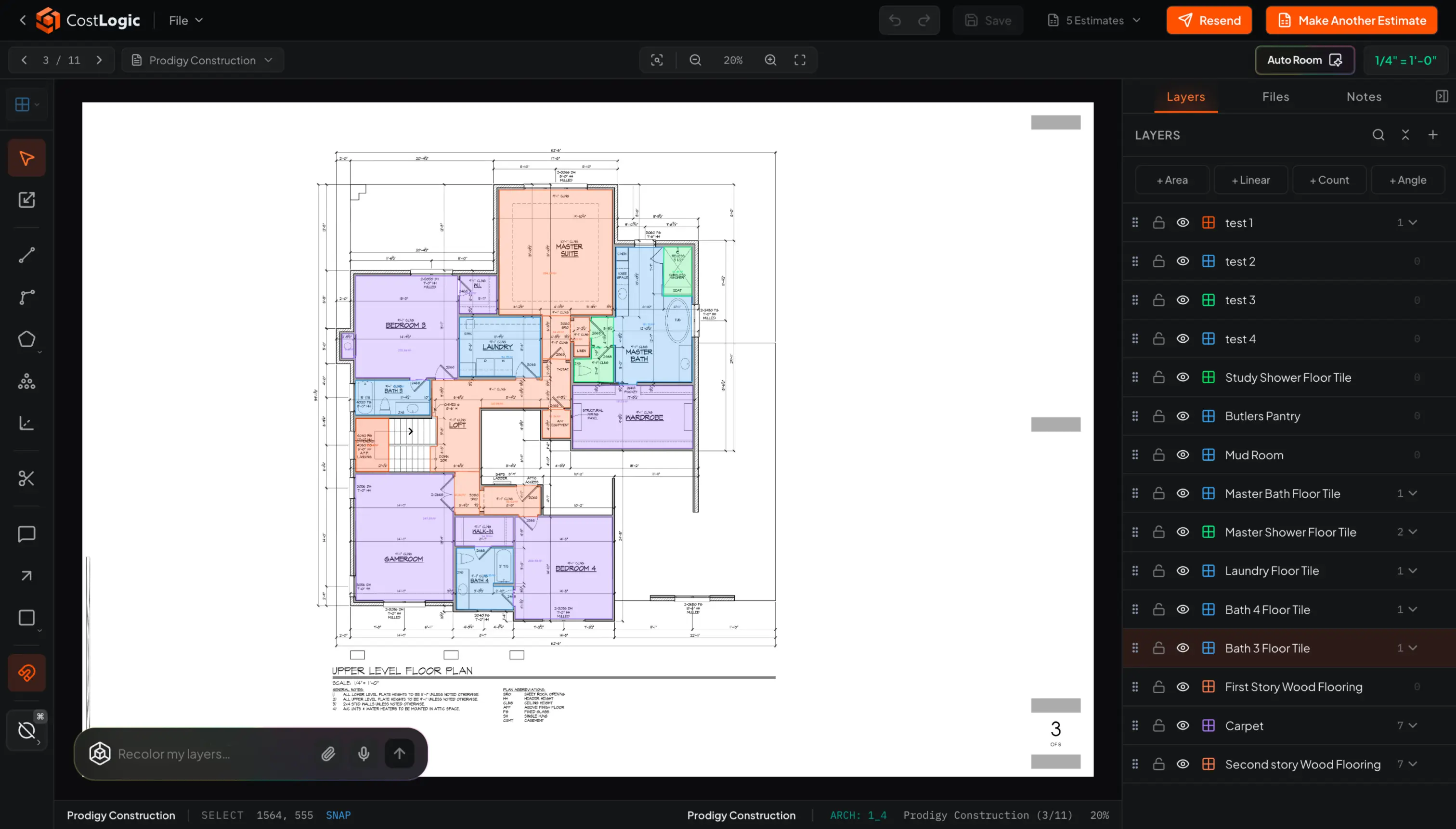
Measure right on the plans.
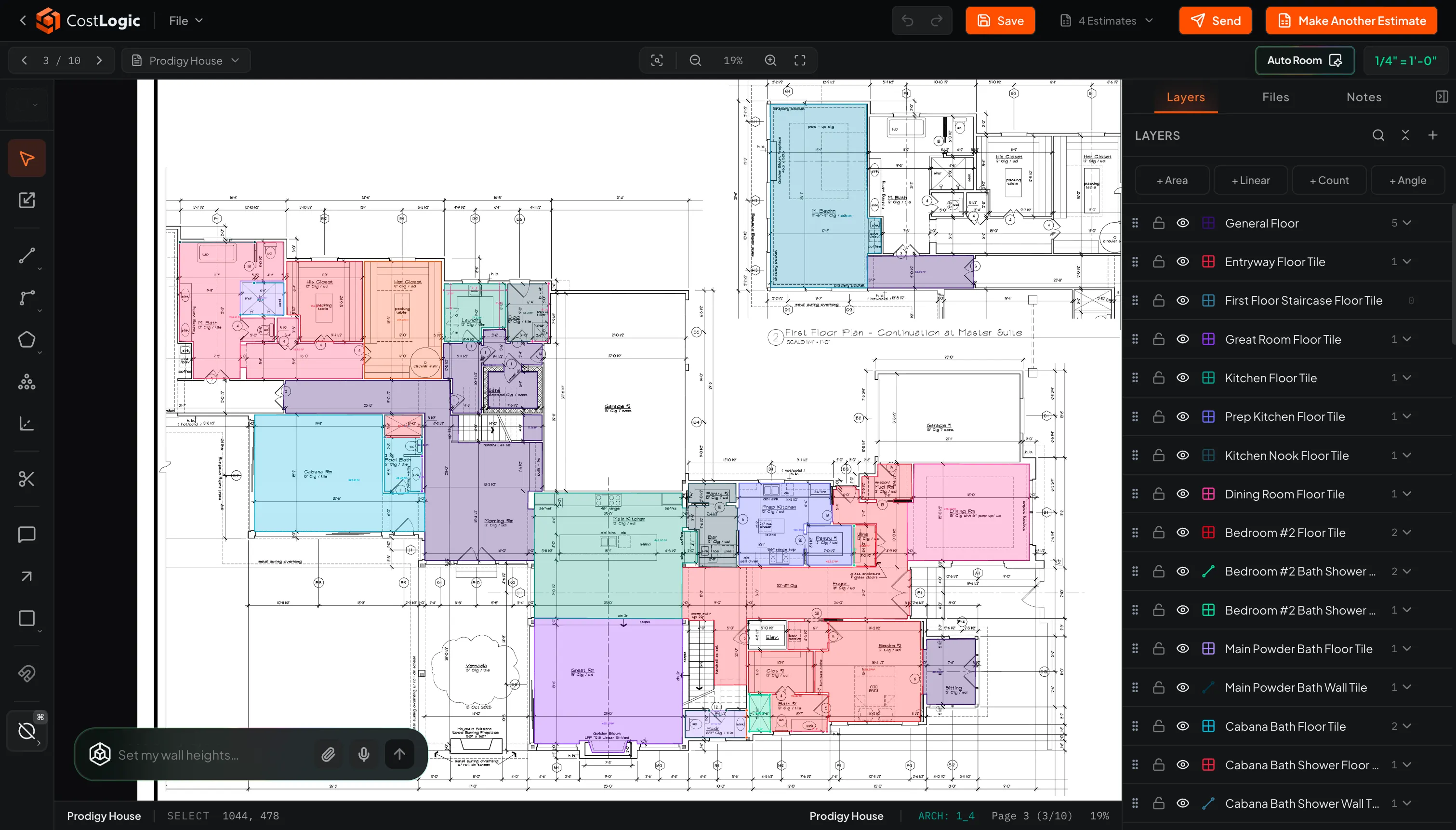
Upload a PDF, calibrate the scale, and take off linear, area, and count quantities directly on the drawing - or let Auto Room find the rooms for you.
One workflow, start to finish
Measured quantities move straight into pricing and billing, so nothing gets retyped along the way.
Upload your plans
Drop in construction PDFs. Pages are named automatically and the scale is read from the title block.
Measure or auto-detect
Use precision takeoff tools, or run Auto Room to detect rooms and areas for you.
Build the estimate
Measured quantities flow into line items. Ask Onyx to draft the estimate and it fills in the math.
Send the invoice
Turn an approved estimate into an invoice, email it as a branded PDF, and keep every customer on file.
Upload your plans
Drop in construction PDFs. Pages are named automatically and the scale is read from the title block.
Measure or auto-detect
Use precision takeoff tools, or run Auto Room to detect rooms and areas for you.
Build the estimate
Measured quantities flow into line items. Ask Onyx to draft the estimate and it fills in the math.
Send the invoice
Turn an approved estimate into an invoice, email it as a branded PDF, and keep every customer on file.
Onyx AI
Just ask Onyx.
Onyx is the assistant built into CostLogic. It finds rooms on your plans, prices your takeoff, drafts invoices, and answers questions about your jobs.
Decorative demo of the Onyx composer cycling through example prompts: detect rooms on a floor plan, turn a takeoff into an estimate, draft an invoice, and check a bid's margin.
Estimates
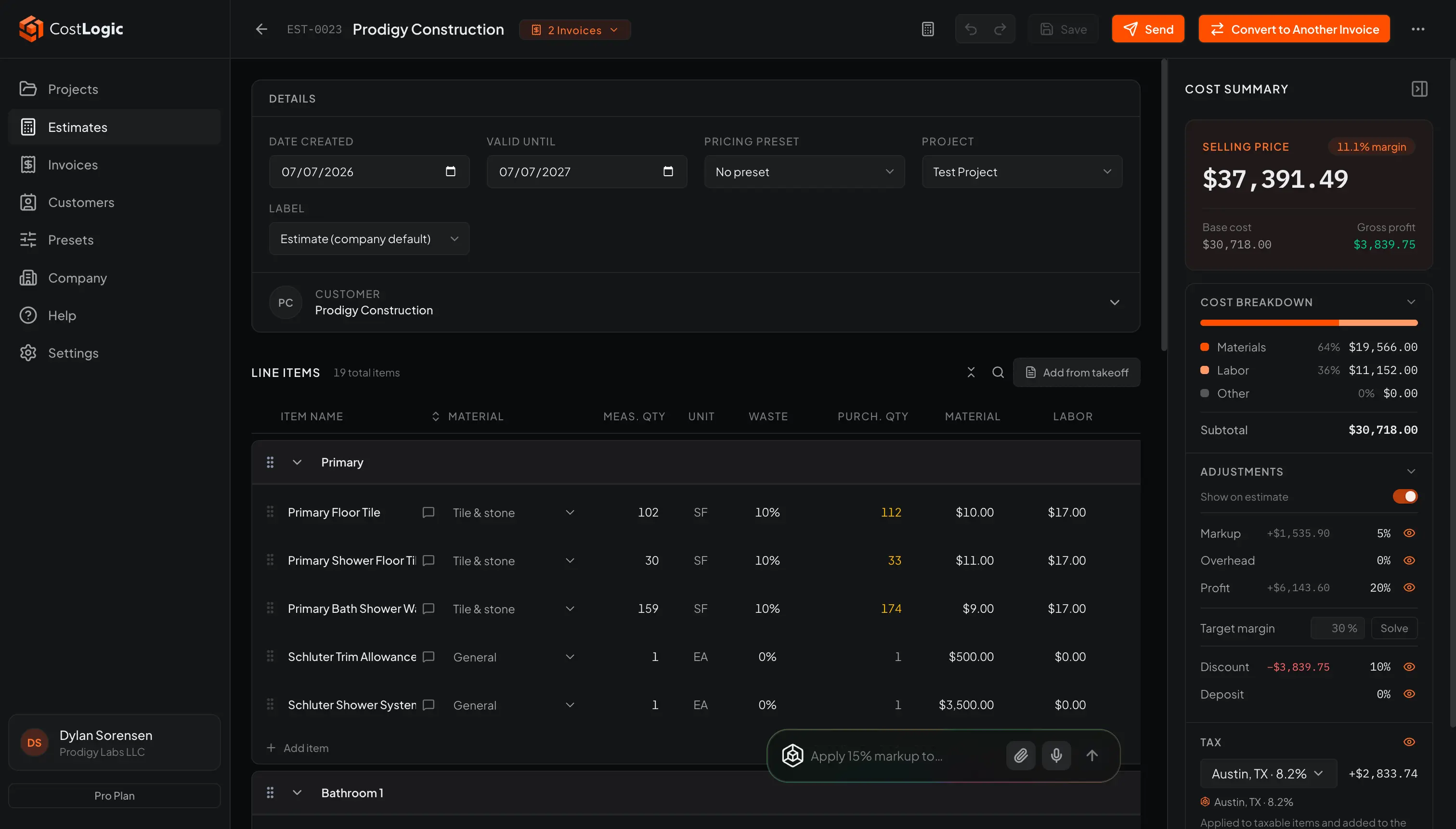
Quantities become line items.
Takeoff measurements flow straight into the estimate - markup, waste, tax, and deposits included. Nothing gets retyped.
Invoices
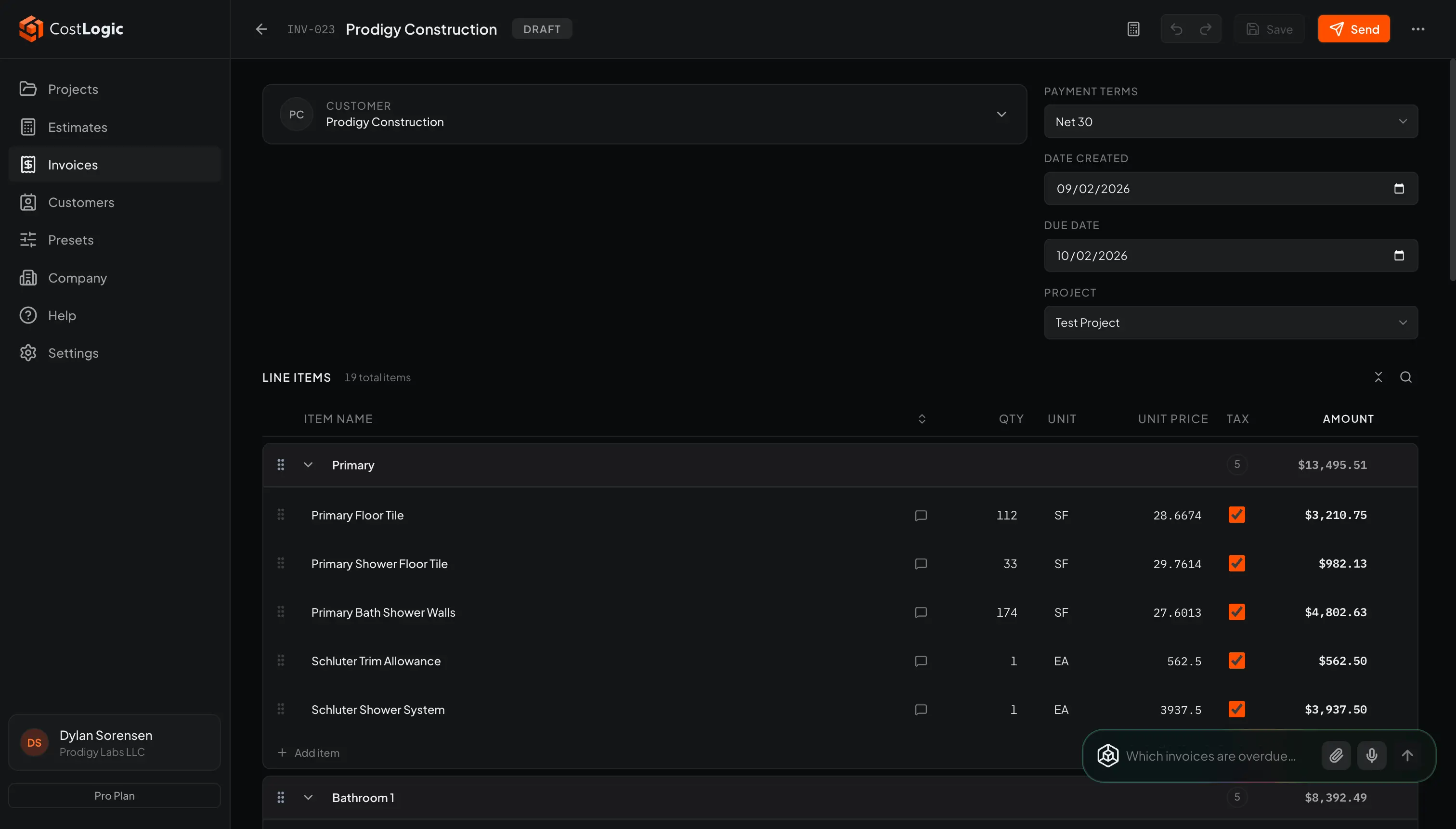
From approved to paid.
Turn an accepted estimate into an invoice in one click, email it to your customer, and log the payment when it comes in. Sync to QuickBooks Online if that is where you keep the books. CostLogic sends the bill; it never touches the money.
See how CostLogic compares
One tool from first measurement to final invoice. Here is where we line up against popular takeoff software.
Comparison based on publicly available information as of August 2026. Competitor features may change.
Plan set to invoice
The tools you need for takeoffs and job costing, nothing you don't.
PDF takeoffs
Upload construction PDFs, navigate multi-page plans, and measure directly on the drawing.
Precision tools
Linear, area, count, and angle tools with scale calibration and automatic scale detection from title blocks.
Auto Room
Detect rooms and areas straight from the drawing, then turn them into measured takeoff layers.
Onyx Assistant
A built-in AI assistant that answers questions, drafts estimates, and edits your takeoff layers on request.
Estimates
Build line-item estimates from takeoff measurements with markup, waste, tax, and deposit controls.
Invoices
Create invoices from estimates, email branded PDFs, log the payments you receive, and sync to QuickBooks Online or export a CSV for your bookkeeper.
CostLogic measures, prices, and bills the job. Your accountant keeps the books - export what you invoiced whenever they need it.
The fastest path from plans to paid
Takeoffs, estimates, and invoices in one motion. Start a free trial and finish your first takeoff in minutes.